Quick answer
Why phases work better than one big build
Most app ideas start big: orders, stock, invoices, reports, a customer app, a staff app. Building all of it at once means months before anyone uses it, a large bill up front and a high chance that the first real users want something different.
- You see results early. A small first phase is in use within weeks, not months.
- You spend in steps. Each phase has its own price, and you can stop after any one of them.
- Real use guides the next step. Phase 2 is planned from what people actually did, not from guesses.
- Less goes wrong. Small pieces are easier to test, fix and explain.
The 6 planning steps
Write the problem in one sentence
Not the app, the problem. "We lose orders because they arrive on WhatsApp, phone and Instagram and nobody sees them all" is a problem. "An order app" is a solution. A clear problem makes every later decision easier.
List the people who will use it
For each person, write what they need to do. For example: the owner checks today's orders; staff mark orders as packed; customers get a delivery update. Two or three types of user is plenty for a first plan.
Write each need as a simple task
Use the shape "As [person], I want to [do something], so that [reason]". For example: "As the owner, I want to see all of today's orders on one screen, so that nothing is missed." Each line becomes a small piece of work that can be tested.
Sort the list: now, next, later
Ask of every task: if this were missing, could someone still use the app to solve the main problem? If yes, it can wait. What is left in "now" is your phase 1. Keep "later" visible so good ideas are not lost, just parked.
Define "done" for phase 1
Write two or three checks anyone can test, such as "staff can add an order from a phone in under a minute" or "the owner sees every order from today on one page". If you cannot test it, it is not a finish line yet.
Agree scope, price and date, then test with real users
Put the phase in writing with what is included, what is not, the price and the date. When it is built, use it with real customers or staff for one to two weeks, note what they struggle with, then plan phase 2 from that.
A worked example: a small clothing shop
The first message: "I want an app for my shop. Orders come on WhatsApp and Instagram and we keep missing them. Also stock, invoices and maybe a customer app." Here is how that becomes a phased plan:
| Phase | What it includes | Finish line |
|---|---|---|
| 1. Orders in one place | Staff logins and an online database, then add an order from a phone, see today's orders, mark them packed and delivered | No order is missed for two weeks |
| 2. Stock | Products with sizes, stock that goes down when an order is packed, a low-stock list | The owner trusts the stock number without counting |
| 3. Invoices and reports | Printable invoices, a weekly sales summary | Invoices go out the same day as the order |
| Later | A customer app, loyalty points, delivery partner links | Only if phases 1 to 3 are in daily use |
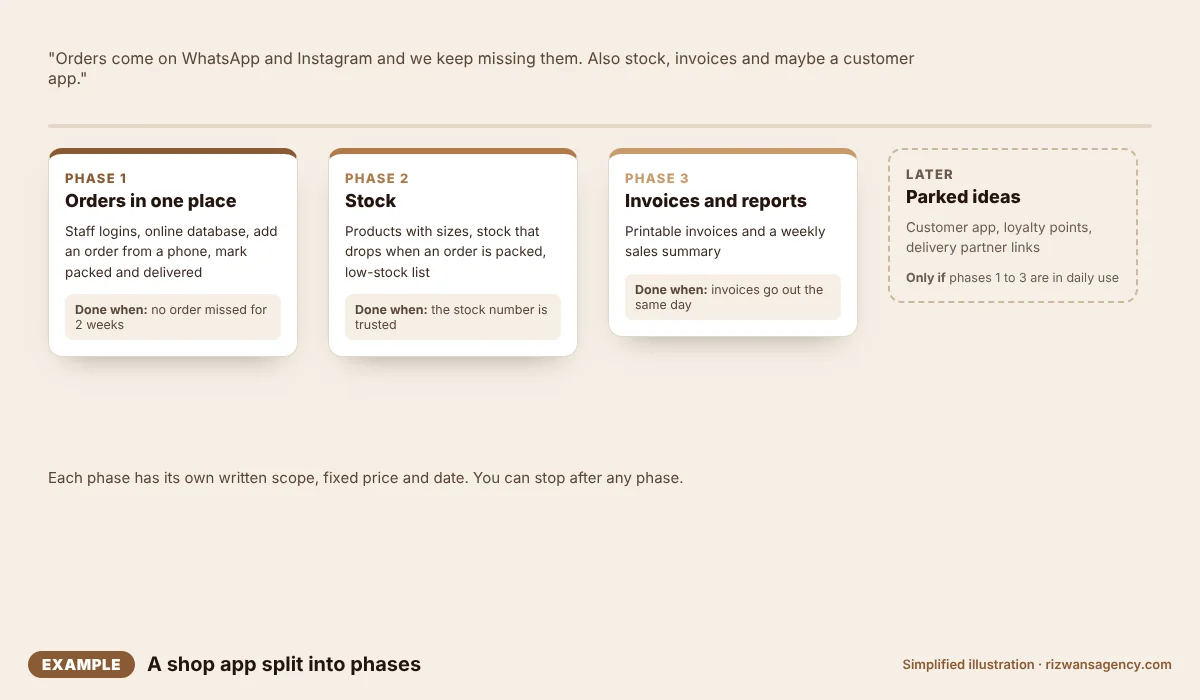
Notice that the customer app, which sounded most exciting, moved to "later". The problem in the first message was missed orders, and phase 1 solves exactly that.
The technical parts to decide early
A plan for screens is not enough once an app saves data. These parts are invisible to users but decide the cost, the speed and how safe the app is, so write them in the plan from day one:
| Part | What to decide | Example |
|---|---|---|
| Database | Where the data lives online and what is stored: orders, customers, products | Supabase, or MySQL on your hosting |
| Logins and roles | Who can log in and what each person can see or change | Owner sees everything; staff only today's orders |
| Hosting and domain | Where the app runs and its web address | Vercel or Hostinger, on orders.yourshop.pk |
| Keys and connections | Which outside services it connects to, with keys kept in environment variables, never in the code | Database keys, WhatsApp, payments, email |
| Backups | How often data is copied and who can restore it | Daily automatic backup, tested once |
| Running costs | What you pay every month after launch | Hosting, database plan, domain, messages |
The database and logins usually belong in phase 1, even when the first screens are simple, because changing them later is slow and risky. For the step-by-step of putting an app live and connecting its database, see How to put your website live on Vercel.
A one-page plan you can copy
A plan does not need to be long. One page with these headings is enough to get a clear quote and keep everyone on the same page:
- Problem: one sentence.
- Users: who uses it and what each one needs to do.
- Phase 1 includes: the short list of tasks.
- Phase 1 does not include: the things that are deliberately left out.
- Technical setup: database, logins and roles, hosting, outside services and backups.
- Done when: two or three checks anyone can test.
- Price and date: a fixed price and a target date for this phase only.
- Later list: ideas parked for future phases.
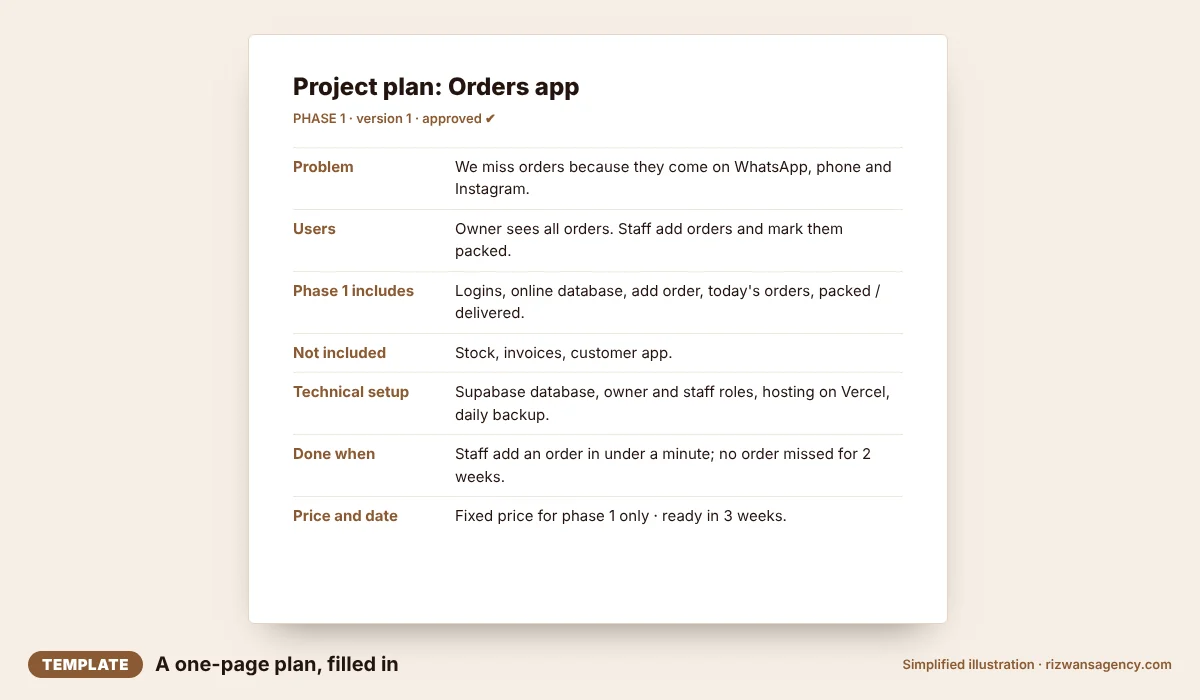
The "does not include" line is the one most plans forget, and it is the one that prevents most arguments later.
Common mistakes
- Starting with screens instead of the problem. Designs are easier to get right once the problem and users are clear.
- A phase 1 that is too big. If it takes longer than about a month, split it again.
- No finish line. Without a clear "done", a phase never quite ends.
- Planning phase 3 in detail on day one. Keep later phases as a short list; they will change after real use.
- Skipping the test weeks. The best ideas for phase 2 come from watching real people use phase 1.
Questions
How small should phase 1 be?+
Do I need to know how to code to plan an app?+
What if I change my mind halfway?+
How much does a phased web app cost?+
Can students use this for a final-year project?+
Founder, Rizwan's AI Agency. Plans and builds websites, apps and AI tools for small businesses in the UK, UAE and Pakistan.
Have an idea for an app?
Send it in one WhatsApp message. We will turn it into a written, phased plan with a fixed price for phase 1, before anything is built.